Everything that needs you,
on one screen.
These are real AngelDesk screens. Click a numbered marker or a line in the list to see what each part does, or just watch the tour.
Numbers update every 60 secondsEvery screen on this page is captured from the live AngelDesk workspace. Company and team names are blurred.
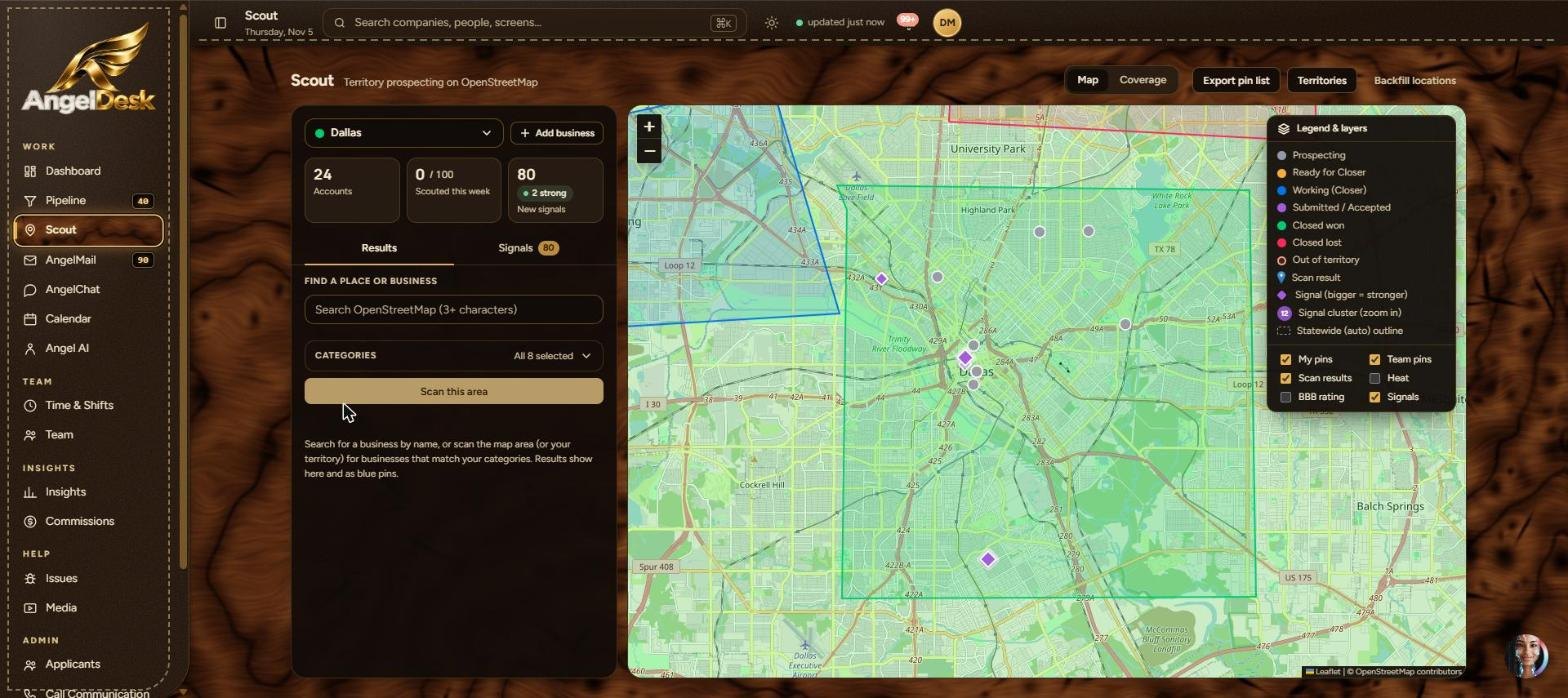
Scout. Prospect straight off the map.
Pick a territory, scan the area, and every matching business drops onto the map as a pin. Fresh signals show which companies just won contracts or raised money, so your reps call the right people first.
Follow one business from the map to a closed deal.
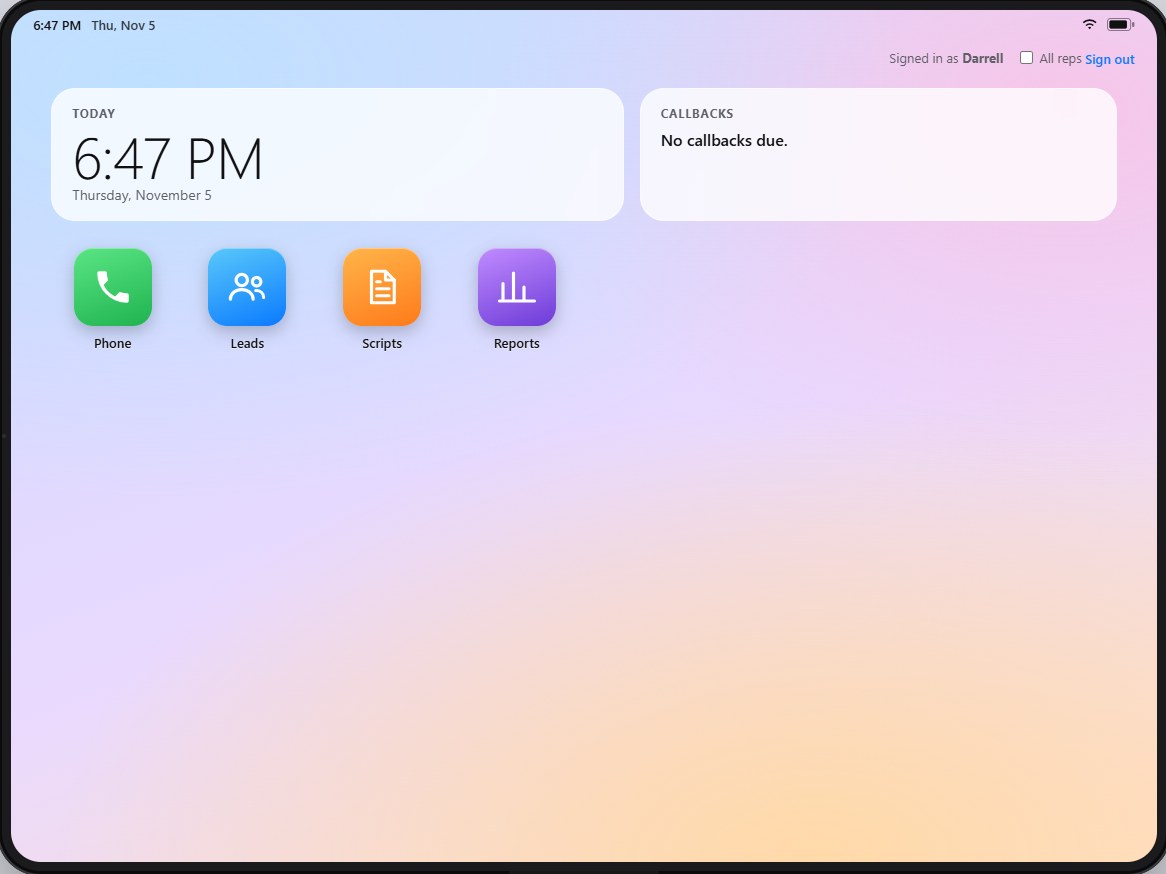
The call center is a tablet on your desk.
Reps open the tablet inside AngelDesk, tap Phone and dial. The call is logged to the matching account automatically, so nobody types call notes into a second system.
Every company, every stage, gauges that tell the truth.
Switch between table and board, filter by stage, owner or source, and act in bulk. The gauge panel shows volume, the Closer queue and conversion before you scroll.
An assistant that proposes. You confirm.
Ask Angel AI to search, summarize, draft or set up an action. It works with exactly the permissions you have, nothing happens until you confirm, and every action is audited.
Give Angel AI a face.
Switch who greets your team in one click. A video presenter, a gentleman or an angel. Angel AI works exactly the same behind every face.
Talk to your team. Angel AI is in the room.
AngelChat gives reps, closers and managers channels, direct messages, huddles and video inside the platform, and every account gets its own channel on its record. Mention Angel and it prepares the action for you to confirm.
Channels for every team, Angel AI in the room.
Example conversation. Try sending a message.
A complete mail room. Cadences that run themselves.
Plan campaigns, write each step with merge fields, send from your own warmed domains, and catch every reply on the account. Cadences stop the moment a prospect answers, and the closer is told.
Build a cadence once. It runs every day.
An interactive example of the Email Center tab inside AngelMail.
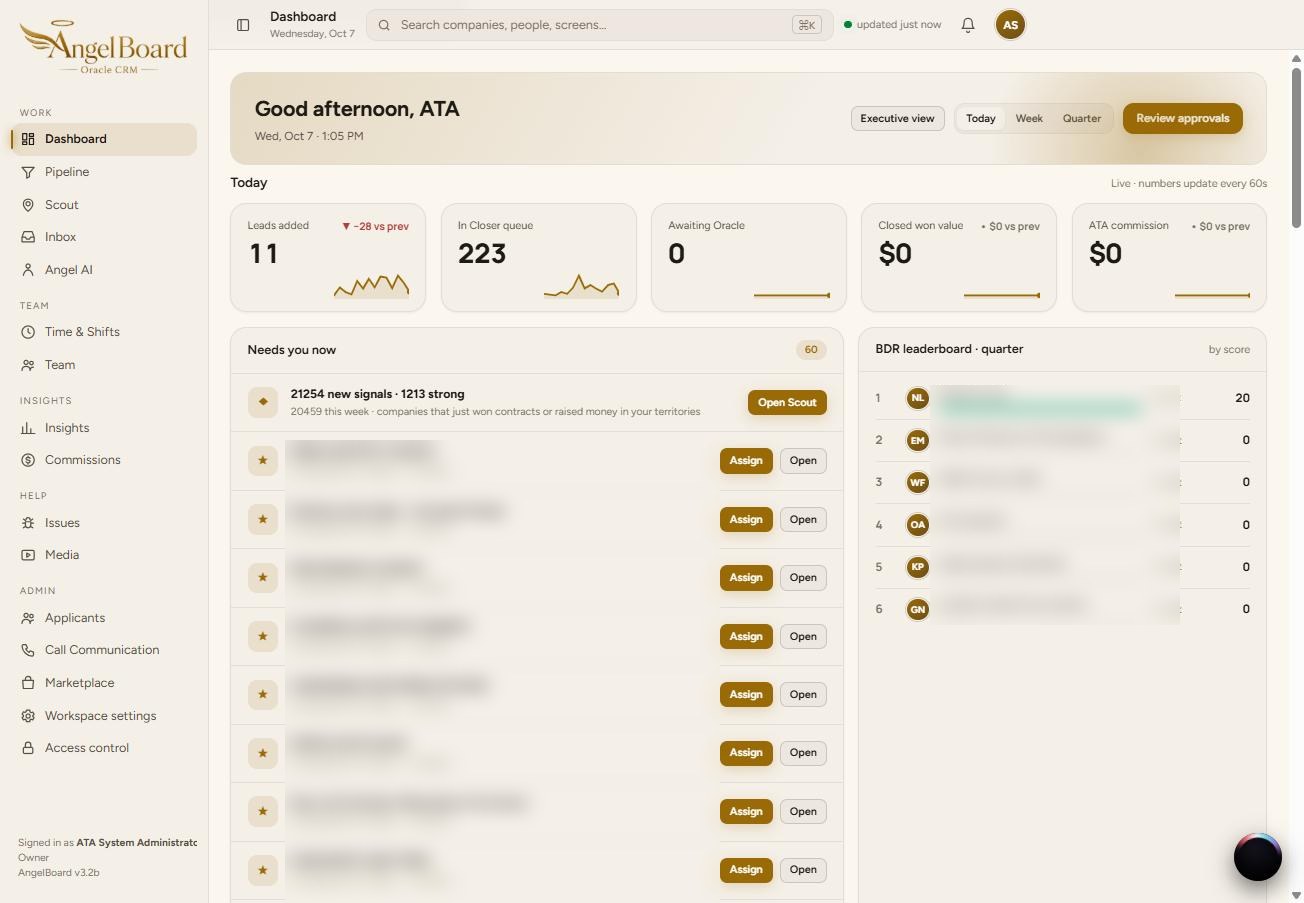
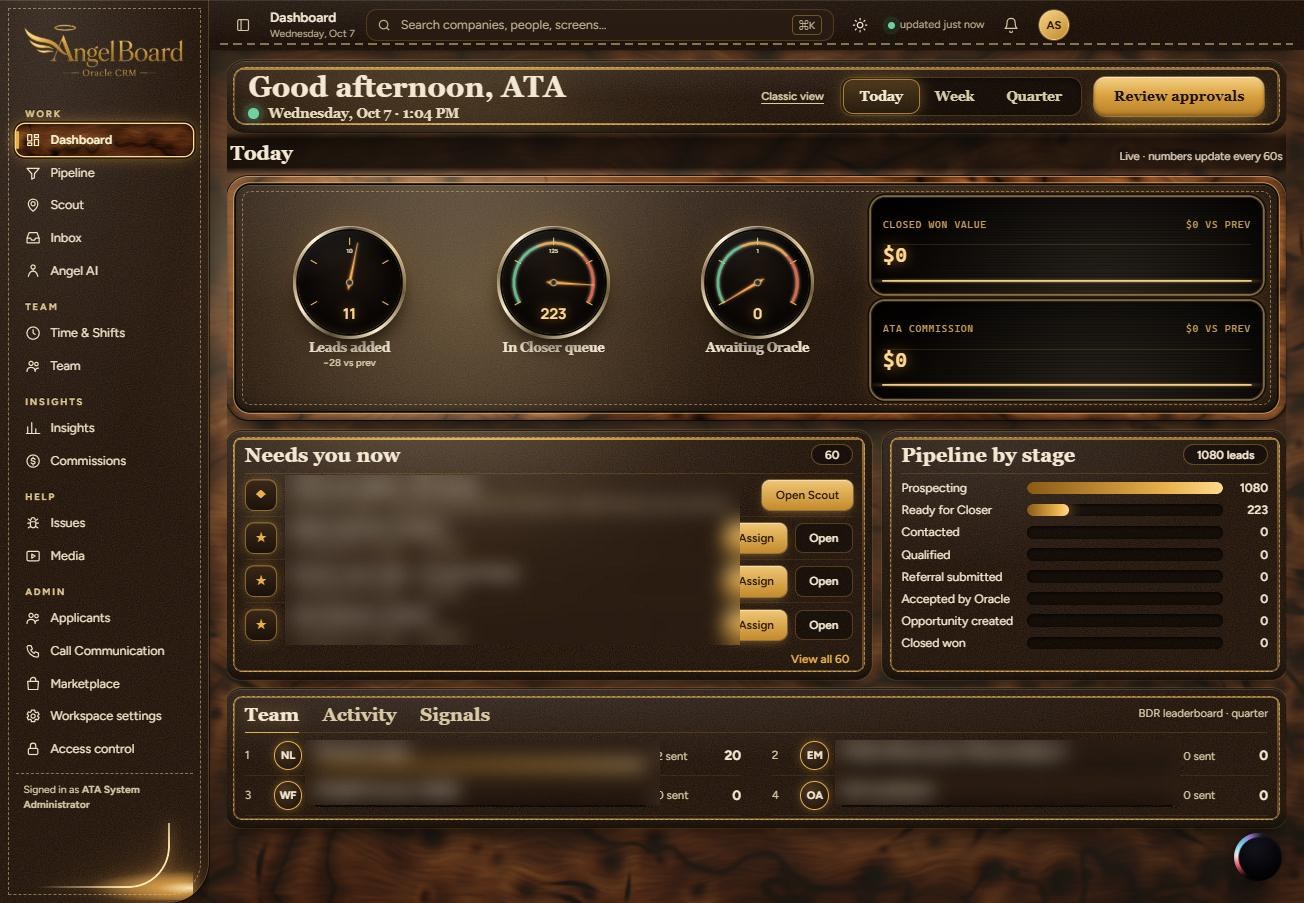
Same platform. Your look.
Switch AngelDesk between skins without changing how anything works. Executive is burr wood, stitched leather and gauges. Classic is clean cream and gold. The owner decides who gets which skin.
More of the platform, as it really looks.
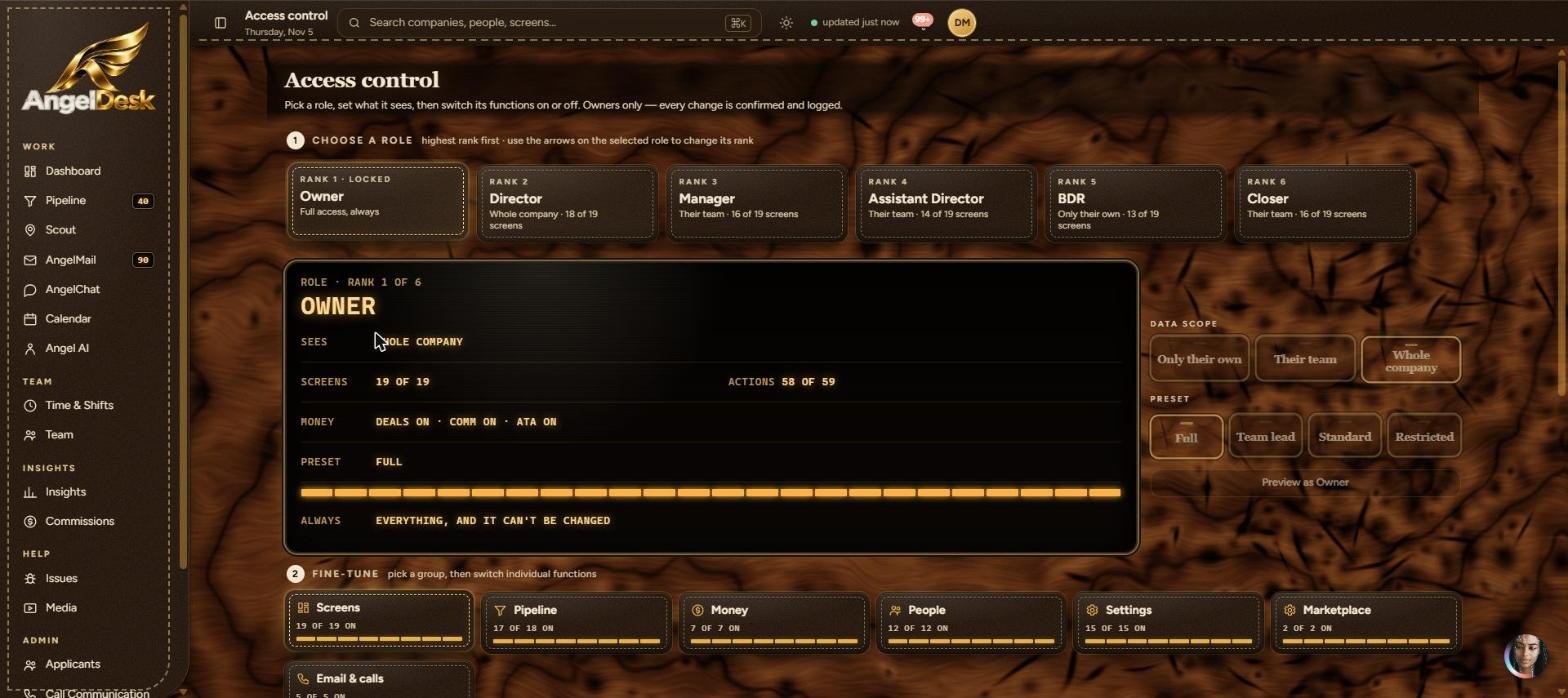
Access control, Insights, Time & Shifts, Media, the pipeline board, the signals feed and the mail editor. Pick a room.
One platform. Only the features you want.
AngelDesk is modular. Start with the AngelBoard pipeline and switch on Scout, the call center, AngelMail, AngelChat, Angel AI or commissions as your team needs them. Try it: flip the switches and watch your workspace take shape.

Every feature is already built. Switching one on later takes a setting, not a migration.
What you get out of the box.
Most teams assemble a CRM, a mapping tool, a dialer, a mass email tool and a chat app. AngelDesk ships them as one platform, and you only turn on what you use.
| Capability | AngelDesk | Typical CRM | Spreadsheets + separate tools |
|---|
General comparison of typical products. Features vary by vendor and plan.
Your platform, your features.
Ask for a walkthrough. We set up AngelDesk with the features your team needs and switch on the rest when you want them.
Visit Angels Touch America